Overview
Identity is the primary security boundary within Brunner Security Labs. Every user, administrator and managed device must establish a trusted identity before accessing enterprise resources.
Microsoft Entra ID provides the central identity platform for the lab. It supports authentication, authorization, administrative role management, device identities and integration with Microsoft 365, Microsoft Intune, Defender for Endpoint and Microsoft Sentinel.
Business Need
Cloud services and remote access have reduced the effectiveness of the traditional network perimeter. Access decisions can no longer rely only on whether a device is located inside a corporate network.
Enterprise resources therefore require a central identity system capable of verifying who is requesting access, what privileges the identity possesses and whether additional authentication controls are required.
Security objective
Ensure that access to enterprise resources is authenticated, authorized, traceable and limited according to business need.
Architecture
Microsoft Entra ID acts as the central identity provider. Users authenticate through Entra ID before accessing Microsoft 365 and the security services connected to the lab.
Device identities are also registered in Entra ID. This establishes the connection between users, managed Windows devices and the security controls applied through Microsoft Intune and Defender for Endpoint.
Implementation
Microsoft Entra tenant
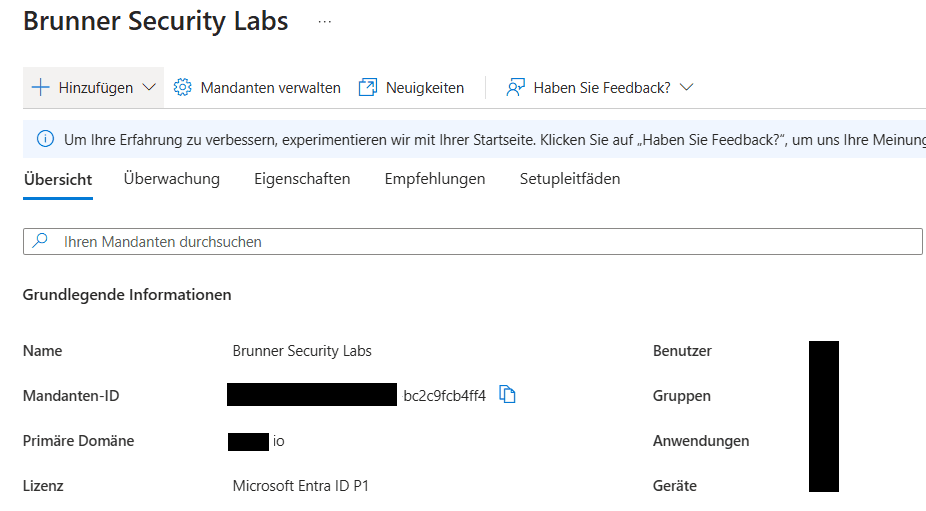
A dedicated Microsoft tenant provides the identity and service foundation for Brunner Security Labs. The tenant is connected to Microsoft 365, Microsoft Intune, Defender for Endpoint and Microsoft Sentinel.
🔍 Key Observations
- Microsoft Entra ID provides the central identity platform for the environment.
- The dedicated tenant separates the lab from unrelated personal environments.
- Microsoft Entra ID P1 capabilities are available within the tenant.
- The tenant provides the identity foundation for Microsoft 365 and Microsoft Intune.
- Tenant identifiers and temporary domain information are redacted from the published evidence.
Users, groups and administrative roles
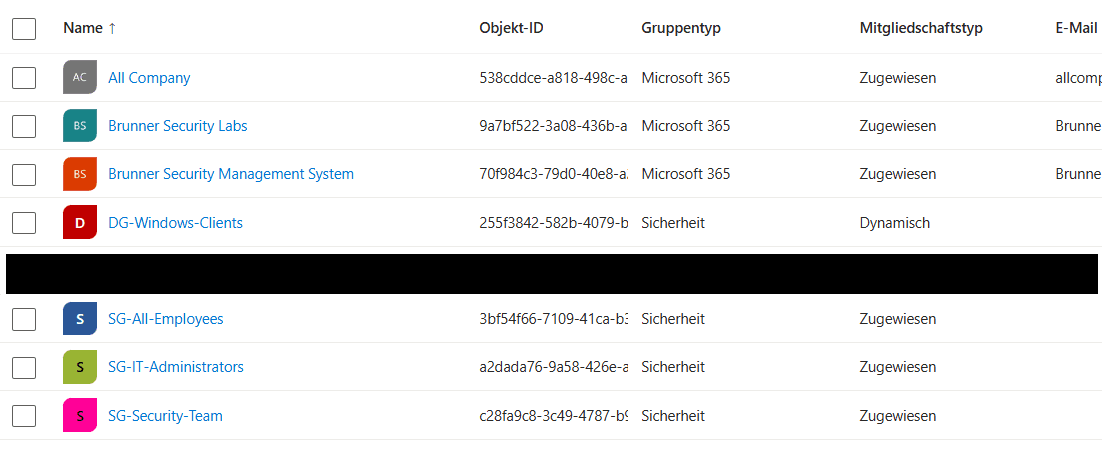
Security and Microsoft 365 groups organize identities and devices according to their operational purpose. Dedicated groups support role-based administration, policy assignment and device targeting.
🔍 Key Observations
- Dedicated security groups separate administrative, security and standard-user responsibilities.
- The DG-Windows-Clients group is used to organize managed Windows endpoints.
- The SG-IT-Administrators group represents privileged administrative identities.
- The SG-Security-Team group supports separation of security responsibilities.
- Dynamic and assigned membership models are used according to the purpose of each group.
Authentication methods
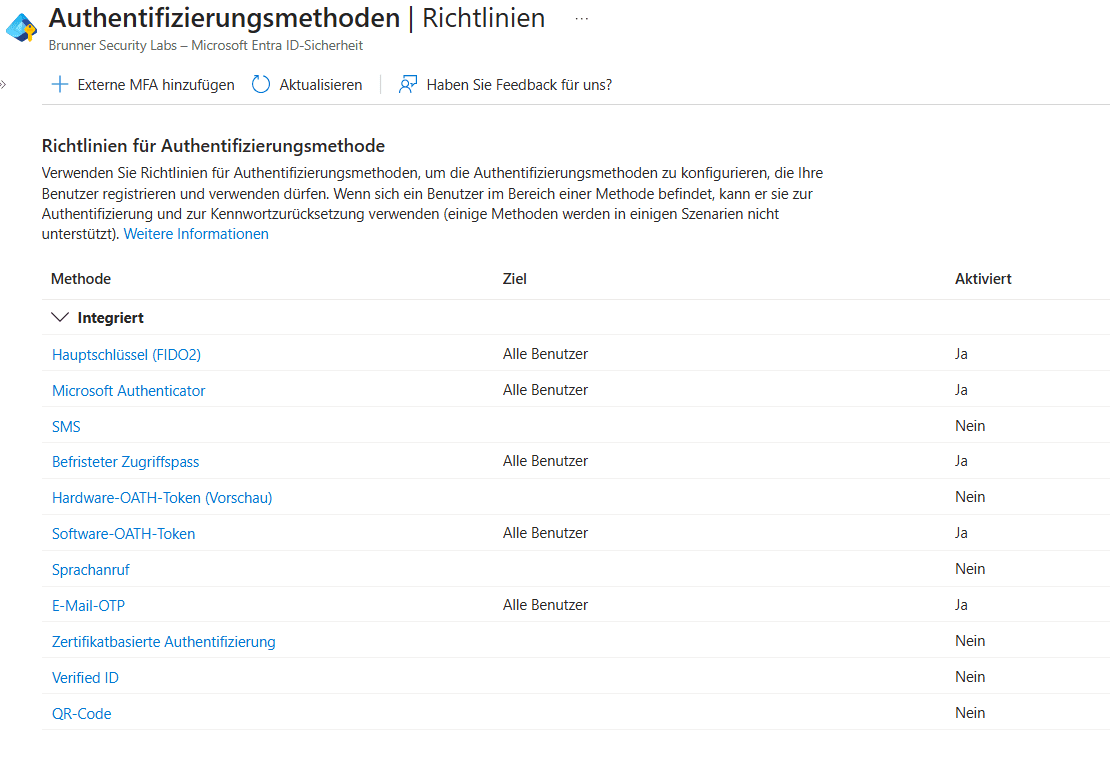
Tenant-wide authentication method policies define which mechanisms users may register and use. Strong authentication methods reduce the risk that a compromised password alone can provide access to enterprise resources.
🔍 Key Observations
- Microsoft Authenticator is enabled for tenant users.
- FIDO2 security keys are supported as a phishing-resistant authentication method.
- Temporary Access Pass is enabled to support controlled onboarding and recovery scenarios.
- Software OATH tokens are available as an additional authentication option.
- SMS and voice-call authentication remain disabled because they provide weaker protection.
Device identity
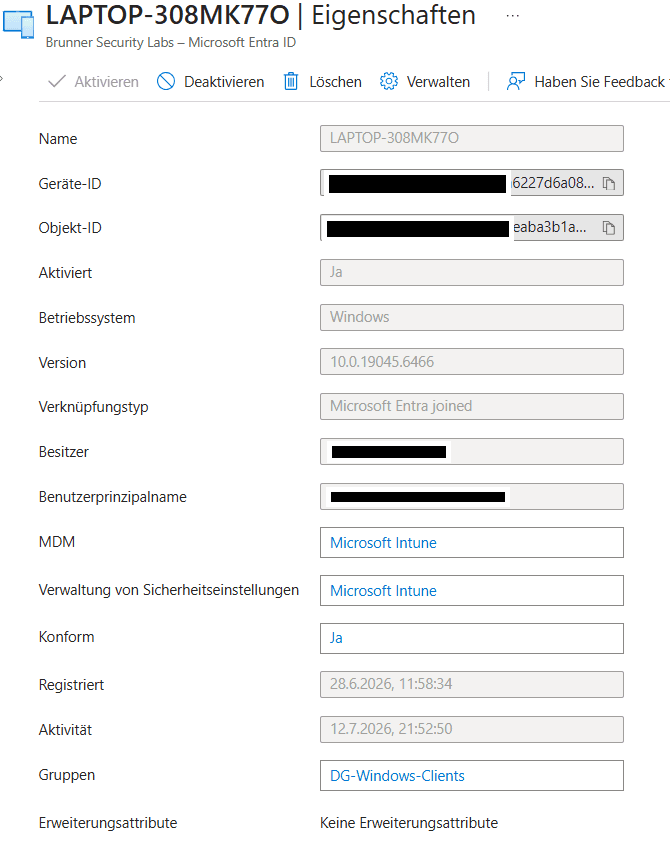
The Windows lab endpoint is joined to Microsoft Entra ID and enrolled in Microsoft Intune. This creates a trusted device identity that can be evaluated by management, compliance and endpoint security services.
🔍 Key Observations
- The Windows endpoint is Microsoft Entra joined.
- Microsoft Intune provides mobile device management for the endpoint.
- Security settings are also managed through Microsoft Intune.
- The device is reported as compliant with the configured requirements.
- The endpoint belongs to the DG-Windows-Clients device group.
Validation
Identity controls are validated through administrative records, device state and authentication telemetry.
- User authentication succeeds with the expected identity.
- Strong authentication methods are enabled through tenant-wide policies.
- The Windows endpoint appears as a Microsoft Entra joined device.
- Microsoft Intune reports the endpoint as managed and compliant.
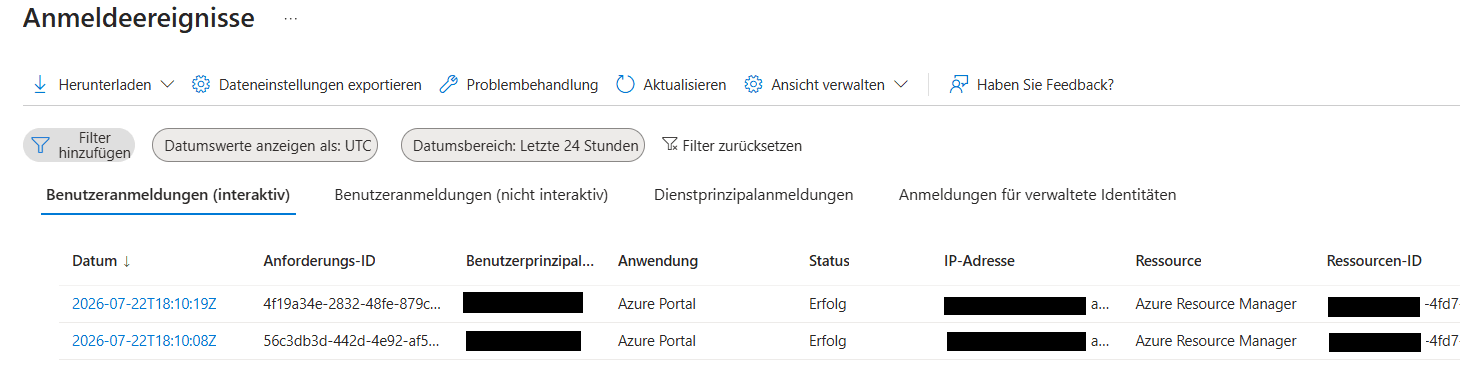
- Authentication events are recorded in Microsoft Entra sign-in logs.
🔍 Key Observations
- Interactive user sign-ins are centrally logged by Microsoft Entra ID.
- Each event can be associated with the application and resource that were accessed.
- The event status provides evidence of successful or failed authentication attempts.
- Sign-in telemetry supports auditing, troubleshooting and incident investigation.
- Microsoft Entra sign-in data can be integrated with Microsoft Sentinel for centralized monitoring and detection.
Future Work
The next stage will strengthen identity protection by introducing more contextual, risk-based and privileged-access controls.
- Conditional Access policies
- Separate emergency access accounts
- Passwordless authentication
- Privileged Identity Management
- Periodic access reviews
- Identity risk monitoring